2025 Release Notes
December 2025 Update · v1.12.5
This update introduces Multi-View and Multi-Task Processing for image generation, significantly improving efficiency for multi-image creation and management.
🚀 New Features
Multi-View Modes (Create / Browse)
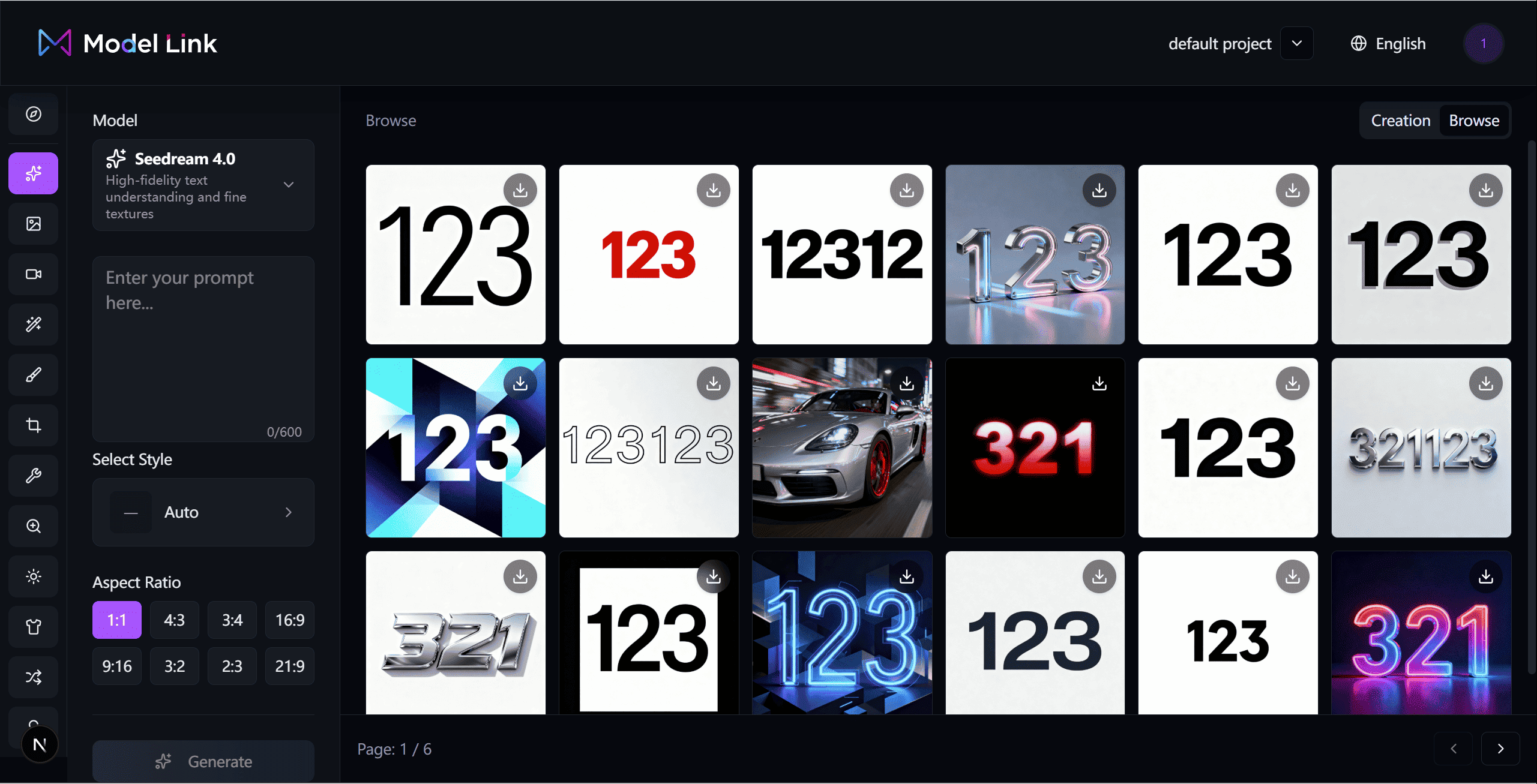
Create Mode (Default)
The default mode when entering the Playground, designed for focused creation:
- The parameter panel on the left is fully expanded, displaying all available options
- The history panel on the right is shown in a compact layout (latest 6 images)
- Users can focus on adjusting parameters with real-time previews
- Newly generated images are automatically added to the preview area
Browse Mode
When the system detects that a user has generated more than 10 images within a short period:
- A one-time prompt appears:
“You have generated many images. Would you like to switch to Browse Mode?”
- After clicking “Switch to Browse”, the interface transitions smoothly:
UI Changes:
- The parameter panel becomes narrower, with some text replaced by icons
- The history section expands into a full-screen grid view, showing over 3× more images
Multi-Task Processing
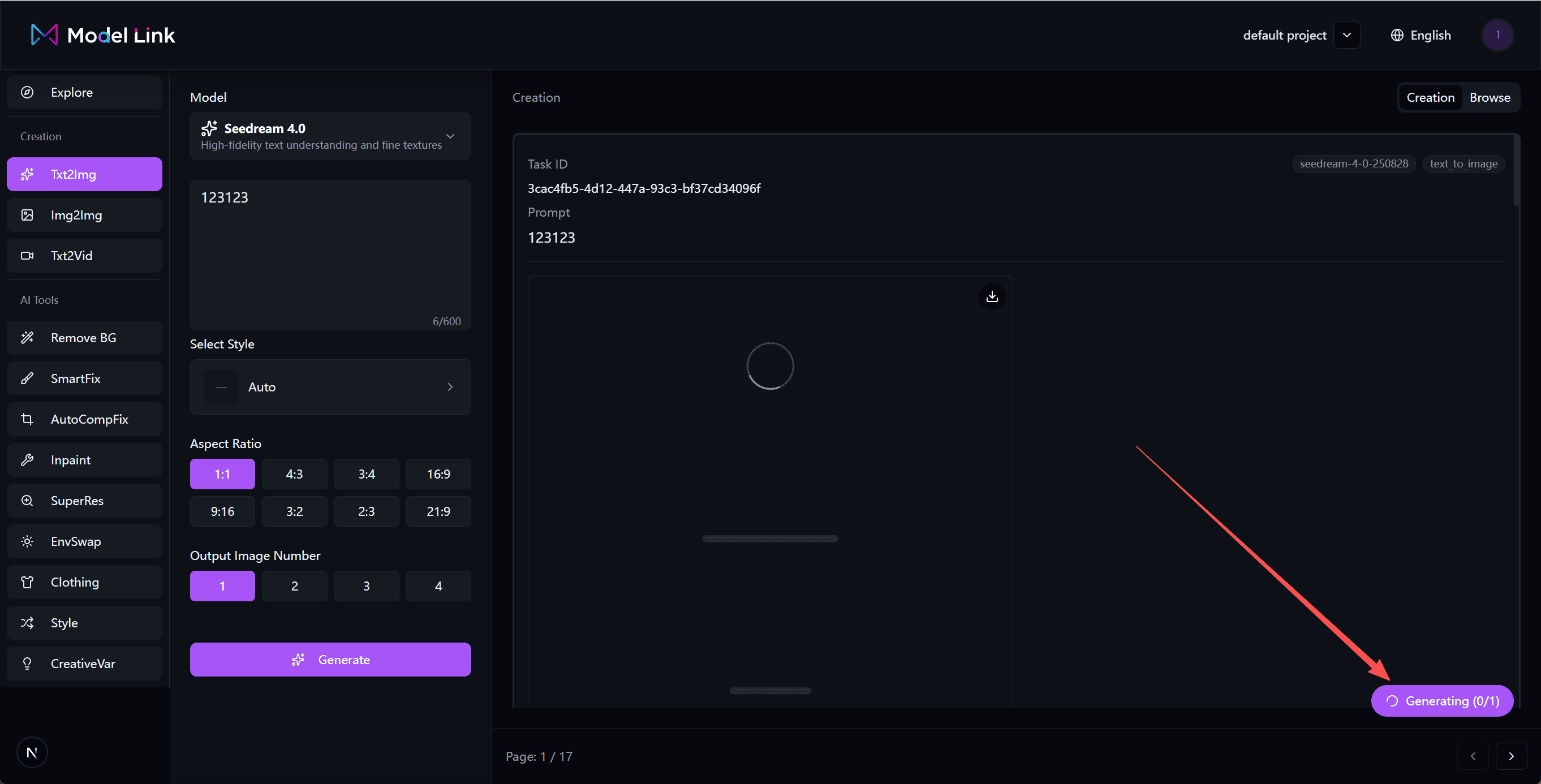
- Supports processing multiple image generation tasks simultaneously
- A compact task queue indicator appears in the top-right corner
- Example: 🔄
1 task in progress
- Example: 🔄
- Users can continue submitting new generation requests while tasks are running
Project Management
- Introduced a Project Management module
- Supports drag-and-drop reordering of projects
- Enables more efficient organization and management of creative content
✨ Improvements & Optimizations
- Improved overall UI interactions with smoother transitions
- Fixed multiple known issues to enhance stability and performance
December 2025 Update v1.12.4
This update introduces new Explore and Project Management modules for the image generation feature.
New Features
Explore Module
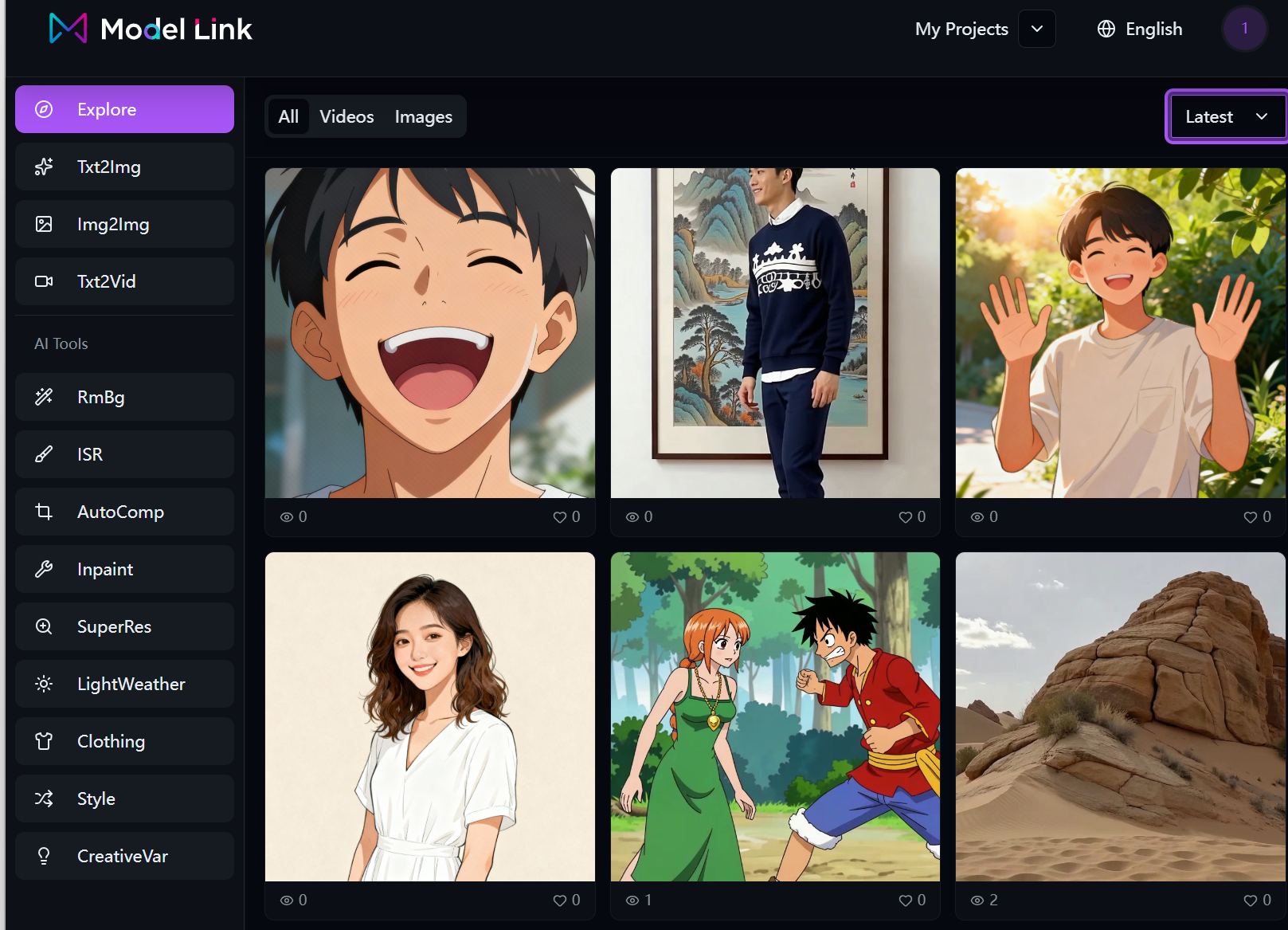 Curated high-quality generated works with support for browsing, liking, and discovering inspiration to help you find your creative direction faster.
Project Management
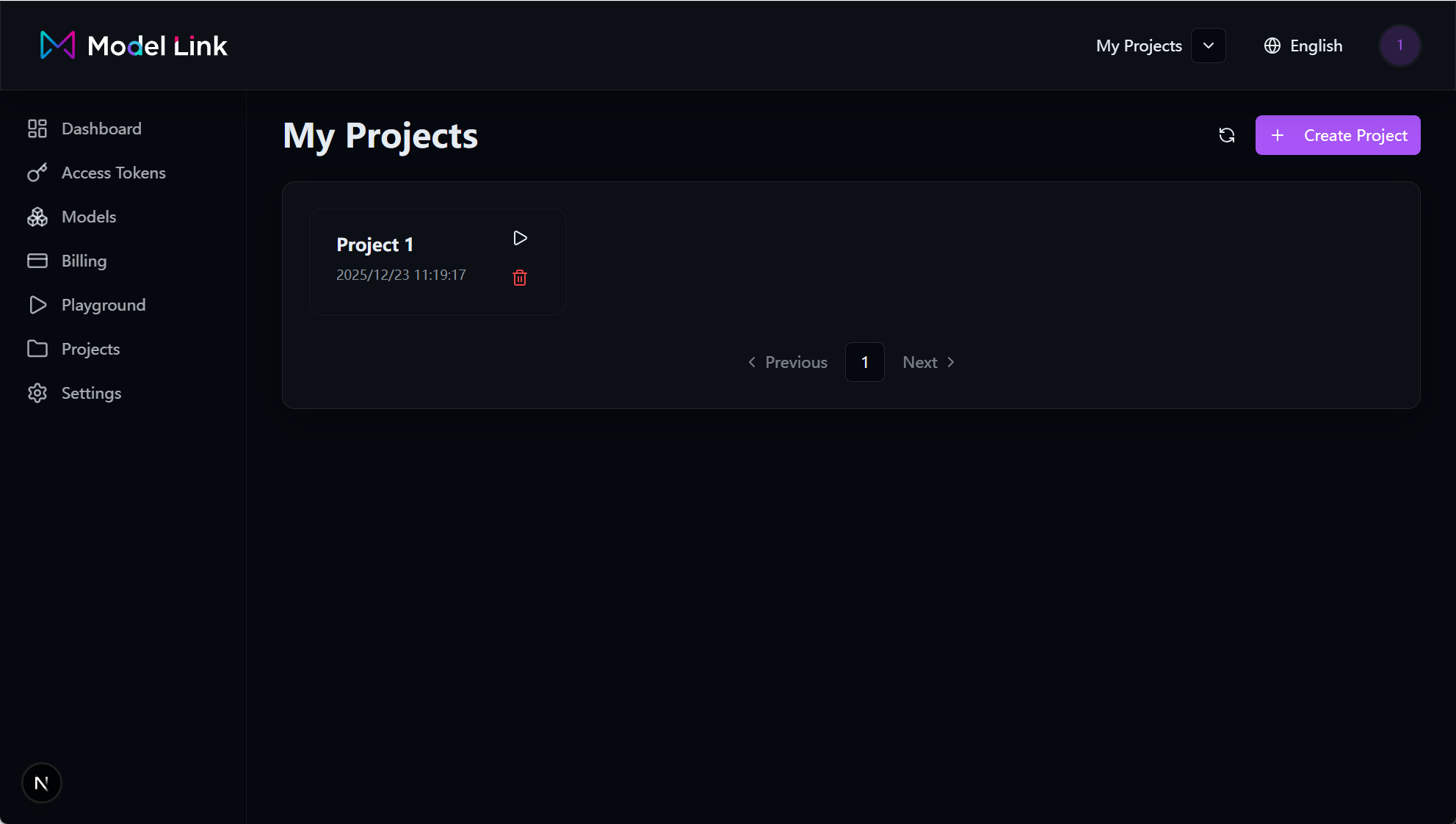 Support for organizing generated content by projects, enabling unified viewing, organization, and reuse of generation results to enhance creative and collaborative efficiency.
User Authentication
- Logout Functionality: Users can securely log out of their current session from the console.
Account Management
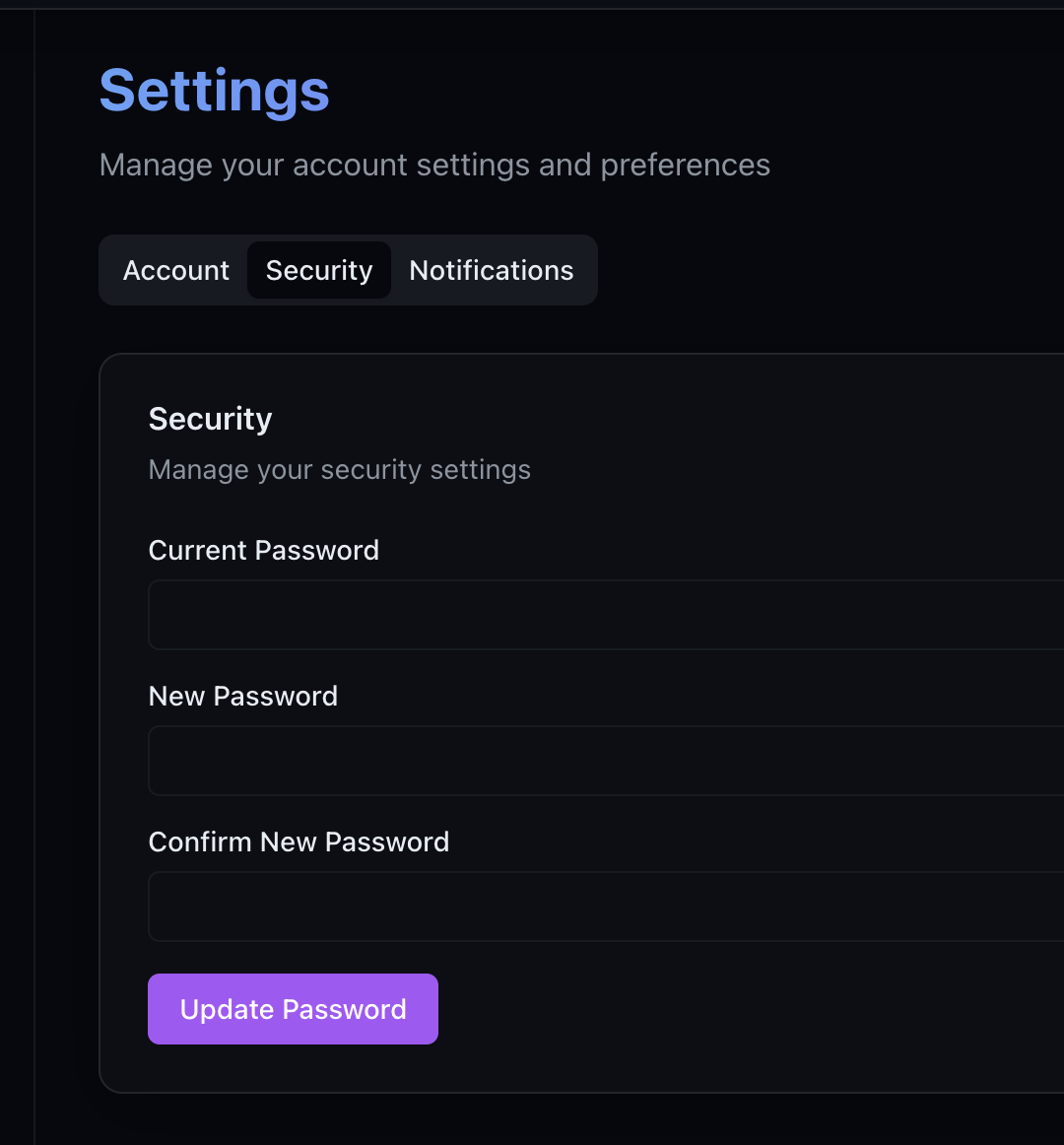
- Personal Information Updates: Users can modify their username and password in the console, improving the convenience of account management.
Improvements
- Optimized user interface interaction experience
- Enhanced security verification mechanisms for account information
- Fixed multiple known issues
December 2025 Update v1.12.3
This update focuses on enhancing image generation capabilities and improving task system experience, introducing multiple style options and improvements to task pagination and responsive design.
✨ New Features
🎨 Image Generation Styles
The image generation feature now supports multiple style options, applicable to both Text-to-Image and Image-to-Image modes:
- Realistic
- Anime
- Illustration
- Cyberpunk
- Vaporwave
- Oil Painting
Users can flexibly choose styles according to different creative needs, achieving more accurate generation results.
🗂 Task Management
- API-based Task Data: All task data is now fetched via API
- Pagination Support: Task lists now support pagination for smoother handling of large numbers of tasks
📱 Responsive Design
- Instant Preview pages now fully support responsive layouts
- Provides an optimized browsing and interaction experience across different screen sizes
🔧 Improvements & Optimizations
- Task Layout: Adjusted task display structure for clearer information hierarchy
- Stability & Bug Fixes: Fixed multiple known issues to enhance overall user experience
December 2025 Update v1.12.2
This update brings enhanced image and video processing capabilities, as well as improved payment functionality.
New Features
Image & Video Watermark Removal
- Intelligent Watermark Removal: Supports automatic detection and removal of watermarks from images and videos
Playground Image Editing
- Image Editing Features: Added image editing capabilities to Playground, providing more creative tools
Payment
- Stripe Payment Integration: Integrated Stripe payment, providing a more secure and convenient payment experience
Improvements
- Fixed multiple known bugs
December 2025 Update v1.12.1
This update brings a brand new image-to-image feature, making image generation more flexible and powerful.
New Features
Image-to-Image Support
- Image-to-Image Conversion: Support for generating new images based on reference images
Improvements
- Fixed multiple known bugs